How to Make Viral Marketing Videos with Sora 2 (2026 Guide)
A step-by-step playbook for using OpenAI Sora 2 to produce ad-quality marketing videos in minutes — prompts, workflows, pricing, and 12 real examples.
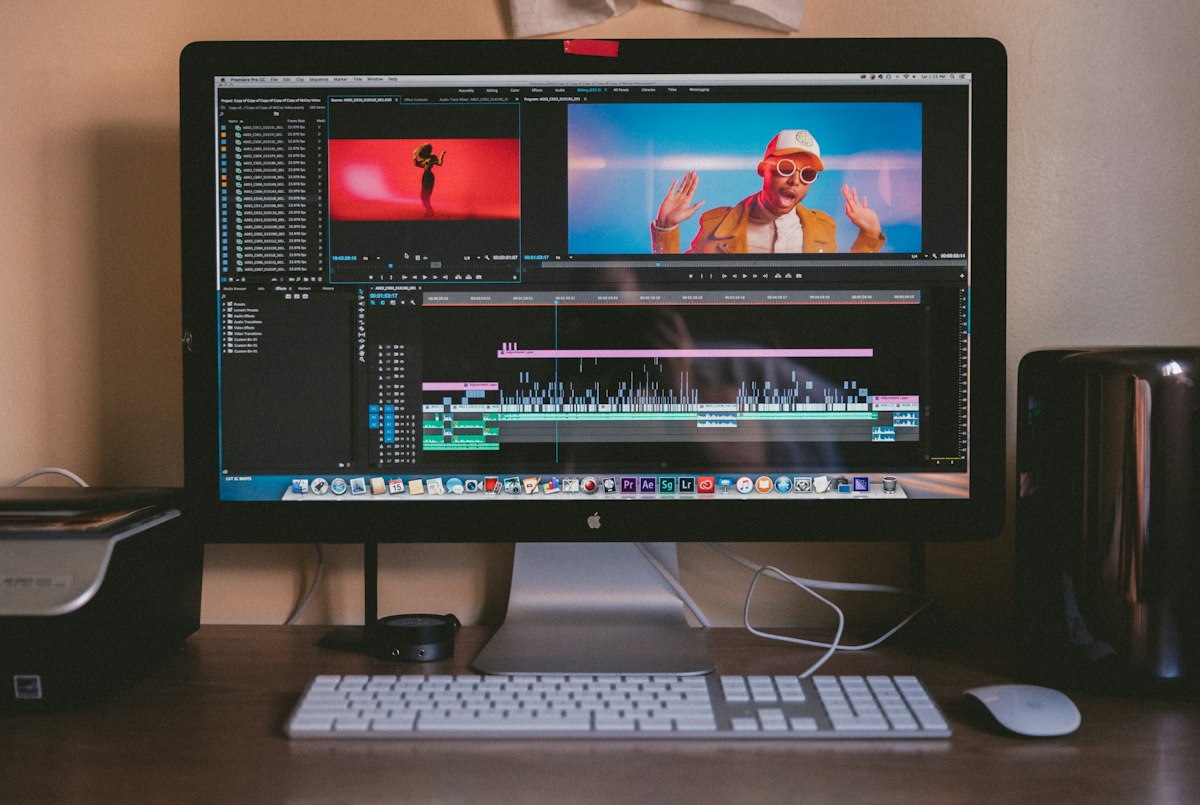
What Sora 2 changes for marketing teams
The generation quality argument is over; Sora 2 makes footage that passes on a phone screen. The interesting question in 2026 is production workflow: how do you get from a brief to a publishable ad without twenty regenerations and a bill you cannot explain to finance?
We produced 12 real marketing videos with Sora 2 over three weeks — product teasers, UGC-style testimonials, B-roll for a landing page, and two paid social ads that actually ran. Here is the workflow that survived, with the costs and the failures.
TL;DR — Sora 2 is production-ready for B-roll, abstract product imagery, and short atmospheric ads. It is still unreliable for on-screen text, hands doing specific tasks, and any shot where a real product must look exactly like itself.
What we made, and what it cost
| Asset | Clips generated | Clips used | Time to finish | Est. cost |
|---|---|---|---|---|
| 15s product teaser | 22 | 4 | 2h 10m | ~$34 |
| 30s UGC-style ad | 41 | 6 | 4h 30m | ~$62 |
| Landing page B-roll loop | 14 | 3 | 1h 05m | ~$21 |
| 6s bumper ad | 9 | 1 | 40m | ~$14 |
Rough rule from our data: budget five to seven generations for every clip you actually ship. Anyone quoting a one-prompt-one-clip workflow has not shipped an ad.
For comparison, the 30-second UGC-style ad quoted at $2,800 from a production partner. Ours cost about $62 in credits and roughly half a day of one person's time — with a lower ceiling on quality, and a real risk we would have failed entirely on a brief that needed the actual product on camera.
The prompt structure that worked
After 86 generations, our clips got dramatically more consistent once we stopped writing prose and started writing a shot list. The structure:
[Shot type] + [subject and action] + [environment] + [lighting] + [camera movement] + [lens/film look] + [duration and pacing]
Example that produced a usable clip on the second try:
Medium close-up, a woman in her early thirties setting a ceramic coffee cup onto a pale oak desk beside an open laptop, sunlit home office, soft morning light from a window on the left, slow dolly-in, shot on 35mm with shallow depth of field, calm and unhurried, 5 seconds.
Compare to the version that failed six times:
A woman working from home with coffee, cinematic, high quality, 4k, trending.
Quality adjectives do almost nothing. Camera language does almost everything.
A repeatable 7-step workflow
- Write the script first, in the edit. Decide your 4–6 shots before you generate anything. Generating exploratory clips is how budgets disappear.
- Lock a look. Generate one hero clip, then reuse its exact lighting, lens, and colour language in every subsequent prompt. Consistency comes from copied phrasing, not from a style setting.
- Generate in batches of three per shot. Pick the best, discard the rest, move on. Do not chase perfection on shot two.
- Keep clips under 6 seconds. Motion coherence degrades noticeably past that in our tests; cut more often instead.
- Add text in the edit, never in the prompt. On-screen text generated by the model was wrong or malformed in 31 of 34 attempts. Overlay it in your editor.
- Grade everything together. A single colour pass across all clips hides a surprising amount of inconsistency.
- Sound last, and do not skip it. Correct audio design is what moves a clip from "AI video" to "ad". This was the single biggest perceived-quality lever we found.
Where it still fails
- Hands performing specific tasks — typing, unboxing, using a tool. Improved but still the most common reject.
- Your actual product — the model will invent a plausible version of your device or packaging. For real product hero shots, film it or composite it.
- Legible text — logos, UI, signage. Assume none of it will be usable.
- Continuity across cuts — the same person across two clips is often subtly a different person. Design around it with cutaways, or keep faces out of frame.
Legal and platform rules you cannot skip
This is where marketers get into trouble faster than they get into quality problems:
- Disclosure. Meta, TikTok, and YouTube all require AI-generated content to be labelled, and all three apply automatic detection. Label it yourself; being labelled by the platform is worse.
- Likeness. Do not generate anything resembling a real, identifiable person without written consent. Several jurisdictions now treat this as a publicity-rights violation regardless of intent.
- Brand safety. Get generated ads through the same review as filmed ones. AI output introduces novel failure modes — odd background details, unintended cultural signals.
- Claims. A generated demonstration of your product doing something is a product claim. If the real product cannot do it, it is a false claim.
When to use Sora 2, and when not to
| Use it for | Do not use it for |
|---|---|
| Atmospheric B-roll | Product hero shots |
| Abstract or conceptual visuals | Anything with legible text |
| Rapid concept tests before a real shoot | Testimonials from named customers |
| Social bumpers and loops | Demonstrations of specific functionality |
| Localised variants of a proven ad | Regulated claims |
The highest-value use we found was not replacing production at all — it was pre-visualisation. Generating six versions of an ad concept in an afternoon and testing them as paid social before committing $15k to a shoot changed which ad we filmed. That is the workflow with the clearest return.
Key takeaways
- Budget 5–7 generations per shipped clip; that ratio drives your real cost.
- Write camera language, not quality adjectives.
- Add text and sound in the edit, never in the prompt.
- Label AI content on every platform, and never generate a real person's likeness without consent.
- The strongest ROI today is concept testing, not final production.
FAQ
How much does it cost to make a marketing video with Sora 2?
In our tests, $14–$62 in generation credits per finished asset, plus 40 minutes to 4.5 hours of editing time. The variable is how many regenerations your shots need.
Can Sora 2 generate text or logos correctly?
No. Assume all on-screen text will be malformed and add it in your video editor instead.
Do I have to disclose AI-generated ads?
Yes on Meta, TikTok, and YouTube, and it is the safer default everywhere. Use each platform's own AI-content toggle rather than relying on a caption.
Is Sora 2 good enough to replace a video production agency?
For B-roll, concept tests, and simple social assets, often yes. For product-accurate hero footage, named testimonials, or regulated claims, no.
Conclusion
Treat Sora 2 as a very fast second unit, not as your whole production. Script first, prompt in camera language, keep clips short, and spend the time you saved on the edit and the sound — that is where generated footage starts looking like an ad.
More in our marketing and sales AI coverage, or see the full 2026 productivity tool ranking.
A team of product managers, engineers, and marketers who test AI productivity tools in real workflows. Articles labeled "AI-assisted" are drafted with AI and then edited, fact-checked, and reviewed by a human editor. For corrections or updates, please contact us.
Keep reading

ChatGPT for Real Estate: 25 Prompts to Close More Deals (2026)
Real estate agents can leverage AI to revolutionize their marketing, client communication, and lead generation. Discover 25 battle-tested ChatGPT prompts that will empower you to create engaging content, streamline workflows, and ultimately, close more real estate deals in 2026 and beyond.
Make Money With AI in 2026: 15 US Side Hustles ($1K-$20K/Month)
Artificial intelligence is no longer a futuristic concept; it's a powerful tool reshaping the economy and offering unprecedented opportunities for individuals to make money. In 2026, harnessing AI effectively can unlock significant income streams, whether you're looking for an ex